

A practical checklist for HR security reviews
Peovix Team · October 11, 2026
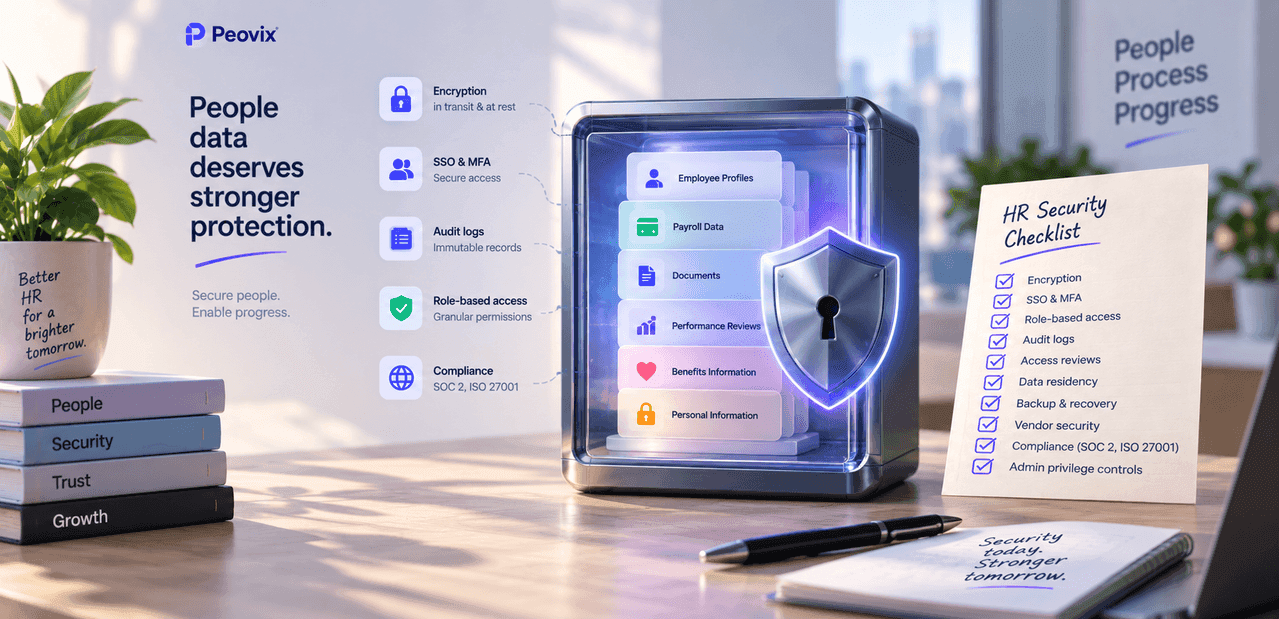
A practical checklist for HR security reviews
HR platforms hold some of the most sensitive data in a business.
Employee names and addresses.
Salary and payroll information.
Bank details.
Tax records.
Performance reviews.
Employment contracts.
Leave history.
Benefits information.
Identity documents.
In some systems, even disciplinary or medical-related records may be present.
That makes HR software very different from most everyday business tools.
A weak permission model or poorly configured admin account does not just expose product data.
It can expose people's personal and financial information.
That is why security should be part of the buying process from the beginning, not something reviewed after a vendor has already been selected.
The problem is that security questionnaires can become overwhelming very quickly.
There are dozens of standards, certifications, infrastructure questions, and technical terms.
So instead of starting with a 100-question security document, HR and procurement teams can begin with a smaller set of questions that reveal how seriously a vendor actually treats workforce data.
This checklist covers the areas worth understanding before trusting an HR platform with employee information.
1. Start with encryption
The first question is simple:
How is our data encrypted?
At a minimum, an HR platform should protect data both:
- In transit
- At rest
Encryption in transit
Data in transit means information moving between systems.
For example:
- An employee logging into the HR platform
- HR downloading a report
- Payroll data moving through an API
- A document being uploaded
- Data being sent to an integration
That traffic should be protected using modern encrypted connections.
The practical question to ask the vendor is:
Is all customer traffic encrypted in transit, including integrations and internal service communication where applicable?
Encryption at rest
Data at rest means information stored inside databases, backups, file storage, or other infrastructure.
Ask:
Is customer data encrypted at rest, including databases, uploaded documents, and backups?
You should also understand whether the encryption approach differs between production data, backups, and file storage.
The goal is not to collect cryptographic terminology for the sake of it.
The goal is to confirm that sensitive employee information is not stored unprotected.
2. Ask how authentication works
Security starts with knowing who is accessing the system.
For small teams, email and password authentication may be enough to get started.
As companies grow, however, centralized identity management becomes much more important.
Ask whether the HR platform supports:
- Single Sign-On
- Multi-factor authentication
- Identity provider integration
- Password policies
- Session controls
- Account lockout or abuse protection
Why SSO matters
Single Sign-On, or SSO, lets employees authenticate through the company's existing identity provider rather than maintaining another standalone password.
That can make user management significantly easier.
When an employee leaves the company, access can often be revoked centrally.
Without SSO, companies may have to remember to deactivate that employee separately inside every business application.
For an HR system, where access may include payroll and employee documents, this matters.
Useful questions include:
Which SSO protocols and identity providers do you support?
Is SSO available to every customer, or only on certain plans?
Can SSO be enforced for all users?
Can administrators maintain emergency access if the identity provider becomes unavailable?
The commercial packaging matters too.
A security capability is only useful if the organization can actually enable it.
3. Check whether MFA can be enforced
Multi-factor authentication adds another verification step beyond a password.
For HR administrators and payroll users, this is especially important because those accounts often have access to large amounts of sensitive information.
Ask:
Does the platform support MFA?
But do not stop there.
Also ask:
Can administrators require MFA for specific roles or for the entire organization?
There is a significant difference between a platform that supports MFA and one that lets an organization enforce it.
If an HR administrator can simply choose not to enable MFA, the security control becomes much weaker.
4. Understand the role and permission model
This is one of the most important parts of an HR security review.
Most organizations do not have just two types of users: employee and administrator.
Real organizations have many different access needs.
For example:
- Employees
- Managers
- HR administrators
- Recruiters
- Payroll administrators
- Finance teams
- Department heads
- Executives
- System administrators
Each group should see only the information necessary for its responsibilities.
A manager may need access to leave requests for direct reports.
That does not mean the manager should see employee bank details.
A recruiter may need candidate information.
That does not mean they should see payroll.
A payroll administrator may need compensation and bank information.
That does not mean they should automatically have access to recruiting notes.
This is the principle of least privilege.
People should receive the minimum level of access required to do their jobs.
5. Ask how granular permissions actually are
Many HR platforms advertise role-based access control, or RBAC.
That sounds good, but the important question is how granular those roles are.
Ask whether permissions can be controlled by:
- Module
- Feature
- Department
- Location
- Team
- Employee relationship
- Data type
- Action
- Reporting line
Also ask what a role can actually do.
There is a major difference between:
- View
- Create
- Edit
- Delete
- Approve
- Export
- Configure
For example, a payroll user may need to view salary information without being able to change compensation.
A manager may need to approve leave but should not be able to change the employee's leave policy.
A finance user may need payroll reports without having access to performance reviews.
Those distinctions matter.
6. Review administrator privileges carefully
HR administrators often have some of the broadest access in the organization.
That means administrator permissions deserve additional scrutiny.
Ask:
What can a super administrator access?
Can super-admin access be limited?
Are sensitive administrative actions logged?
Can administrators impersonate another user?
If user impersonation is supported, is that activity recorded?
Can admin permissions be temporary?
Is additional verification required for high-risk actions?
You should also understand how the product handles permissions across different modules.
If your organization uses recruiting but not payroll, for example, can an administrator still access payroll configuration?
If payroll is only enabled for one country, who can see it?
Security controls should reflect the modules and features the organization is actually using.
7. Understand what is included in the audit log
When something changes in an HR system, organizations should be able to understand what happened.
That is where audit logs become important.
A useful audit trail might record:
- User logins
- Employee record changes
- Permission changes
- Payroll configuration changes
- Salary changes
- Document activity
- Approval actions
- Administrator actions
- Data exports
- Integration changes
- Security-setting changes
The key questions are:
What events are logged?
Who can access the audit log?
How long are logs retained?
Can audit records be altered or deleted?
Can logs be exported?
Can activity be filtered by user, date, module, or event?
An audit log that simply says "record updated" may not be enough.
For sensitive workflows, buyers should understand whether the platform records enough context to investigate what actually changed.
8. Ask whether audit trails are protected from modification
An audit log is most useful when it cannot quietly be rewritten.
That is why organizations should ask how audit records are protected.
For example:
Can administrators modify audit history?
Can audit events be deleted through the normal application?
How are audit records retained?
The goal is to maintain a reliable record of sensitive activity.
If the same administrator who changes payroll data can also remove the evidence of that change, the value of the audit trail is limited.
9. Review access regularly, not just during onboarding
Access control is not a one-time configuration.
People change roles.
Managers change teams.
Employees receive temporary responsibilities.
Contractors join and leave.
Finance or payroll responsibilities move between people.
Over time, permissions can accumulate.
An employee who originally needed payroll access for a project may still have that access a year later.
This is why organizations should perform periodic access reviews.
A good HR platform should make it possible to understand:
- Who has administrator access
- Who can access payroll
- Who can see compensation
- Who can export employee data
- Who has recruiting access
- Who has access to sensitive documents
- Which permissions have changed
Security is easier to manage when access is visible.
10. Understand how exports are controlled
Sometimes the biggest risk is not viewing information inside the platform.
It is taking information out of it.
HR systems often support exports for:
- Payroll
- Employee directories
- Compensation
- Attendance
- Leave
- Analytics
- Recruiting
- Compliance reporting
Those exports may contain hundreds or thousands of employee records.
Ask:
Which roles can export data?
Are exports included in audit logs?
Can export permissions be restricted separately from view permissions?
Are sensitive fields excluded where appropriate?
An employee who needs to view information does not necessarily need permission to download the entire dataset.
That distinction is worth checking.
11. Ask where employee data is stored
Data residency can matter for privacy, regulatory, contractual, or internal security requirements.
Ask vendors:
Where is customer data stored?
Can customers select a hosting region?
Where are backups stored?
Do subprocessors process data in other regions?
Does the hosting location vary by product or module?
If your workforce is distributed across several countries, these questions can become particularly important.
Do not assume that the location shown in a vendor's company address is the same place where customer data is hosted.
12. Understand backups and recovery
Security is also about availability.
An HR platform may contain information needed to run payroll, onboard employees, approve leave, or access employment documents.
Organizations should understand what happens if something fails.
Ask:
- How frequently is data backed up?
- Are backups encrypted?
- Where are backups stored?
- How long are backups retained?
- How is recovery tested?
- What are the expected recovery objectives?
You do not need to turn every HR software purchase into an infrastructure audit.
But you should understand whether the vendor has a credible recovery process.
13. Review integrations as part of the security model
HR platforms rarely operate alone.
They may connect with:
- Payroll providers
- Accounting systems
- Identity providers
- Recruiting tools
- Benefits platforms
- Banks
- Communication tools
- Document services
- Analytics platforms
Every integration creates another data path.
Ask:
What data does each integration receive?
How are integration credentials stored?
Can individual integrations be revoked?
Are integration actions logged?
Can integration permissions be scoped?
An integration should not automatically receive access to every employee field just because it connects to the HRMS.
14. Ask about APIs and service accounts
If the platform provides an API, review that separately.
APIs can be extremely useful for automation, reporting, and integrations.
They can also expose large amounts of data if credentials are overly powerful.
Useful questions include:
Can API credentials be scoped?
Can tokens be revoked?
Do tokens expire?
Can customers create separate credentials for different integrations?
Are API actions recorded in audit logs?
Avoid a model where one permanent token provides unrestricted access to everything.
15. Understand how sensitive documents are protected
HR platforms frequently store documents such as:
- Employment contracts
- Offer letters
- Identity documents
- Tax forms
- Salary certificates
- Policy acknowledgements
- Performance documents
- Visa or work authorization records
Ask whether document permissions follow the same access model as employee records.
For example:
Can a manager see every employee document?
Can document categories have separate permissions?
Can employees access only their own documents?
Are document downloads logged?
What happens to documents after an employee leaves?
Document security is easy to overlook because files may appear to be just another HR feature.
In reality, they can contain some of the most sensitive information in the system.
16. Ask how employee termination affects access
Offboarding is an important security workflow.
When someone leaves, their access should not depend on someone remembering to manually disable five separate systems.
Ask:
What happens to a user's account when the employee is terminated?
Can access end automatically based on the termination date?
How does this work with SSO?
What happens to manager permissions?
What happens to API or admin privileges assigned to that user?
Connected identity and HR workflows can reduce the risk of former employees retaining access.
17. Ask how security capabilities vary by plan
This is a question buyers often discover too late.
Some HR platforms reserve important security controls for higher-priced plans.
That can include:
- SSO
- Advanced permissions
- Audit logs
- Data residency
- API access
- Custom roles
- Advanced authentication
- Compliance reports
Ask for the exact security capabilities available in the plan you are evaluating.
Do not only ask:
Does your platform support SSO?
Ask:
Is SSO included in the plan we are purchasing?
The same applies to every security feature.
Your security review should evaluate the product configuration you will actually deploy.
18. Review permissions by module
Modern HR platforms often contain multiple modules.
For example:
- Core HR
- Payroll
- Recruiting
- Performance
- Leave
- Attendance
- Benefits
- Documents
- Analytics
Access should not automatically carry across every module.
A recruiting administrator may not need payroll access.
A payroll specialist may not need candidate information.
A performance manager may not need tax documents.
Ask the vendor to demonstrate how permissions behave across modules.
This is especially important when different teams own different parts of the HR platform.
19. Ask about security incidents
No security review is complete without understanding how the vendor handles incidents.
Ask:
Do you maintain an incident-response process?
How are customers notified about security incidents?
Who investigates incidents?
What communication should customers expect?
How are lessons from incidents incorporated into the product?
The goal is not to find a vendor that claims incidents can never happen.
The better signal is whether the vendor has a clear process for detecting, containing, investigating, and communicating them.
20. Certifications are useful, but they are not the whole review
Security certifications can provide useful evidence that a vendor follows defined controls and processes.
Depending on your organization, you may ask about frameworks or certifications such as:
- SOC 2
- ISO 27001
- GDPR-related controls
- Privacy frameworks
- Regional compliance requirements
But a certification should not replace product-level questions.
A vendor may have strong organizational controls while still offering an overly broad permission model inside the application.
Both matter.
Think of certifications as one layer of evidence rather than the entire security review.
A practical HR security review checklist
Before approving an HR platform, buyers should be able to answer the following questions.
Encryption
- Is data encrypted in transit?
- Is data encrypted at rest?
- Are documents and backups encrypted?
Identity and authentication
- Is SSO supported?
- Can SSO be enforced?
- Is MFA supported?
- Can MFA be required?
- How are sessions managed?
Permissions
- Does the platform support role-based access control?
- How granular are permissions?
- Can permissions differ by module?
- Are view, edit, approve, and export rights separate?
- Can sensitive fields be restricted?
Administration
- Who can become a super administrator?
- Are administrator actions logged?
- Can elevated permissions be reviewed?
- Are impersonation actions recorded?
Audit logs
- Which actions are logged?
- Are logs protected from modification?
- How long are logs retained?
- Can logs be exported or searched?
Employee data
- Where is customer data stored?
- Can the hosting region be selected?
- How is data backed up?
- How are employee documents protected?
Integrations and APIs
- Can API permissions be scoped?
- Can credentials be revoked?
- Are integration activities logged?
- What employee data is shared with third parties?
Offboarding
- Can access be removed automatically?
- How does termination affect SSO access?
- What happens to privileged accounts?
Commercial controls
- Which security capabilities are available in our plan?
- Are SSO, audit logs, or custom roles paid add-ons?
- Do permissions change depending on enabled modules?
Vendor operations
- Is there an incident-response process?
- How are customers notified?
- Which compliance certifications or independent audits are available?
Security should match how HR actually works
The strongest HR security model is not simply the one with the most controls.
It is the one that reflects how people actually work.
Employees need access to their own information.
Managers need enough information to manage their teams.
Recruiters need candidate data.
Payroll administrators need financial information.
HR needs broader access.
System administrators need configuration controls.
But those roles do not need the same access.
A good HR platform should make those boundaries clear and manageable.
That is especially important as organizations grow.
The permission model that works for 20 employees may become risky at 500.
What we're building with Peovix
At Peovix, we believe workforce security should be part of the platform architecture rather than an afterthought.
That means designing HR and payroll workflows around:
- Secure authentication
- Role-based access
- Module-level permissions
- Employee self-service boundaries
- Audit trails
- Controlled administrative access
- Secure documents
- Integration permissions
- Access visibility
- Connected offboarding workflows
while keeping the experience manageable for HR teams.
Security should not require HR to become a cybersecurity team.
But HR leaders should be able to understand who can access workforce information, what they can do with it, and what happened when sensitive data changed.
Because when a platform manages your people data, trust is not just a feature.
It is part of the product.
Continue
More from the blog
Less admin. More human.
Ready to run people ops in one place?
Start a 7-day trial or book a demo. Bring your regions and team size; we will map the right plan.
Book a demo · Prefer a quick walkthrough first? Explore the product in 3 minutes